growthmindsit
Debugging
Error Handling & Debugging
The JavaScript interpreter uses the concept of execution contexts.There is one global execution context; plus, each function creates a new new execution context. They correspond to variable scope.
EXECUTION CONTEXT :Every statement in a script lives in one of three execution contexts:
- GLOBAL CONTEXT:Code that is in the script, but not in a function.There is only one global context in any page.
- FUNCTION CONTEXT:Code that is being run wit hin a function.Each function has its own function context.
- EVAL CONTEXT (NOT SHOWN):Text is executed like code in an internal function called eval().
VARIABLE SCOPE :The first two execution contexts correspond with the notion of scope .
- GLOBAL SCOPE :If a variable is declared outside a function,it can be used anywhere because it has global scope.
- FUNCTION-LEVEL SCOPE:When a variable is declared within a function,it can only be used within that function. This is because it has function-level scope.
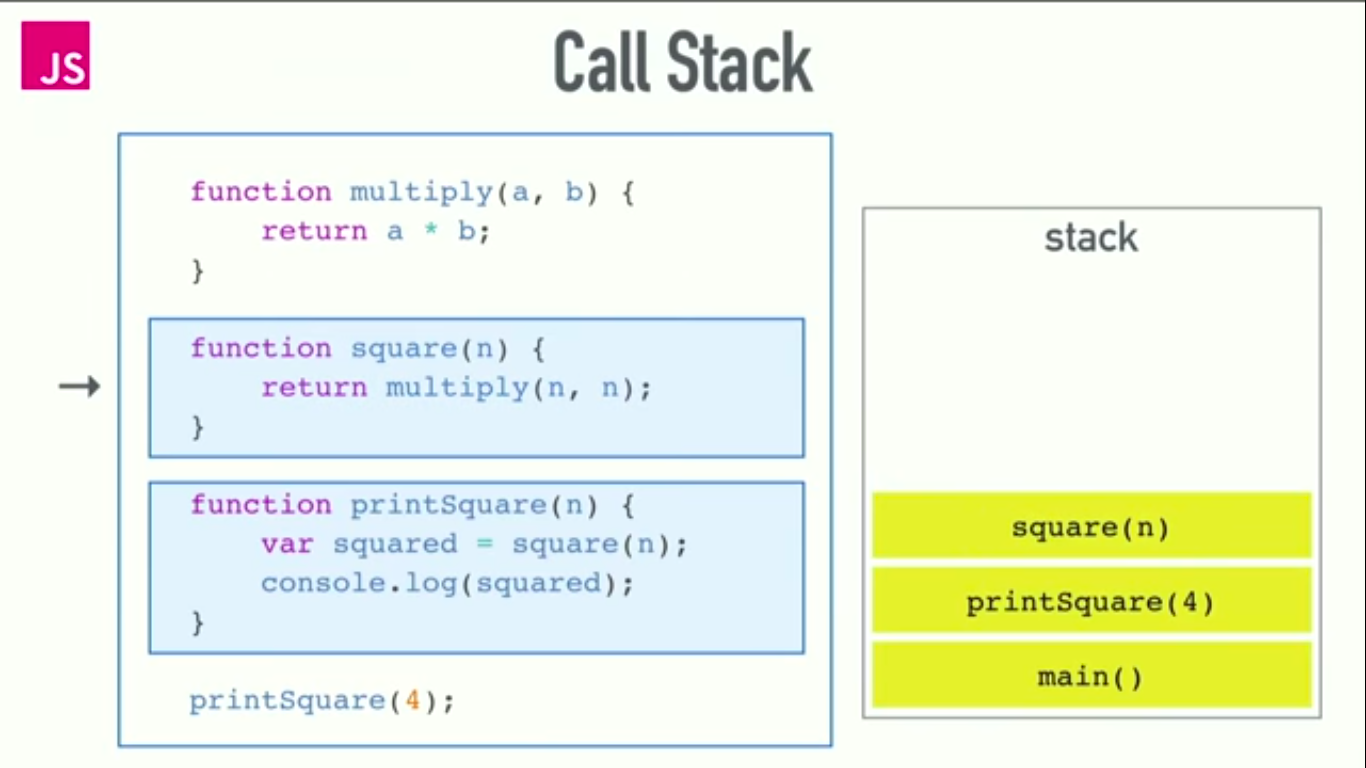
The stack :
UND ERSTANDING ERRORS :
If a JavaScript statement generates an error, then it throws an exception.At that point, the interpreter stops and looks for exception-handling code.
- ERROR OBJECTS :Error objects can help you find where your mistakes are and browsers have tools to help you read them.
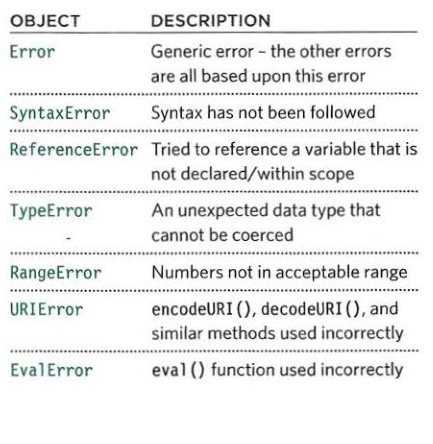
There are seven types of built-in error objects in JavaScript.
HOW TO DEAL WITH ERRORS :there are two things you can do with the errors.
1- DEBUG THE SCRIPT TO FIX ERRORS. 2- HANDLE ERRORS GRACEFULLY.
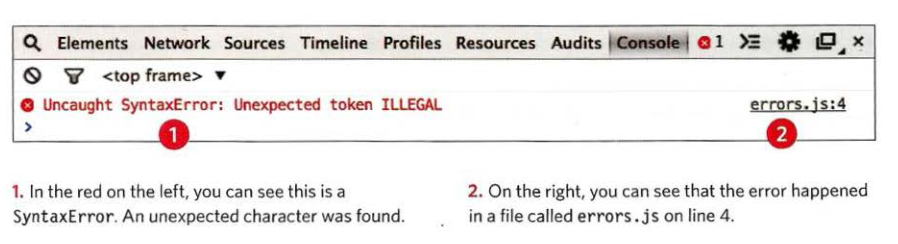
HOW TO LOOK AT ERRORS IN CHROME : The console will show you when there is an error in your JavaScript. It also displays the line where it became a problem for the interpreter.
To diff erentiate between then types of messages you write to the console, you can use three different met hods. They use various colors and icons to distinguish them:
- conso1e.info() can be used for general information.
- console.warn() can be used for warnings
- console.error() can be used to hold errors
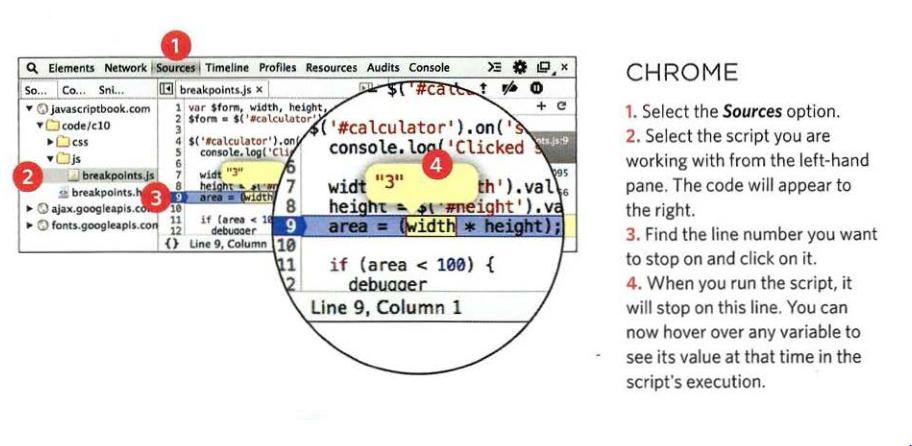
BREAK POINTS:You can pause the execution of a script on any line using breakpoints. then you can check the values stored in variables at that point in time.You can indicate that a breakpoint should be triggered only if a condition that you specify is met. The condition can use existing variabl es.